Macros on your phone
“Sermon”, “Band”, “Talkback”: one tap silences channels and adjusts volumes and monitor mixes at once. Trigger from the app or from a key panel on your phone, opened via QR Code.
ONE TAP, ALL SET ↗/// EXPAND YOUR DUONN
50% OFFBlack Friday: 50% OFF on Monthly and Annual plans→One-touch macros, anti-feedback, an individual monitor mix for every musician and several operators on the same console. Built by listening to people who use Axios and Atrium every day.
DS Mixer · Windows · macOS · Linux · Android · Monitor on iPhone and iPad through the browser · Axios + Atrium · from R$ 14,90/month
/// MORE POSSIBILITIES FOR YOUR MIXER
Macros, anti-feedback, RTA, Auto Gain, scenes, multitrack recording, and personal monitoring. Tools to prepare your mix, handle surprises live, and manage each monitor mix on your Duonn.
“Sermon”, “Band”, “Talkback”: one tap silences channels and adjusts volumes and monitor mixes at once. Trigger from the app or from a key panel on your phone, opened via QR Code.
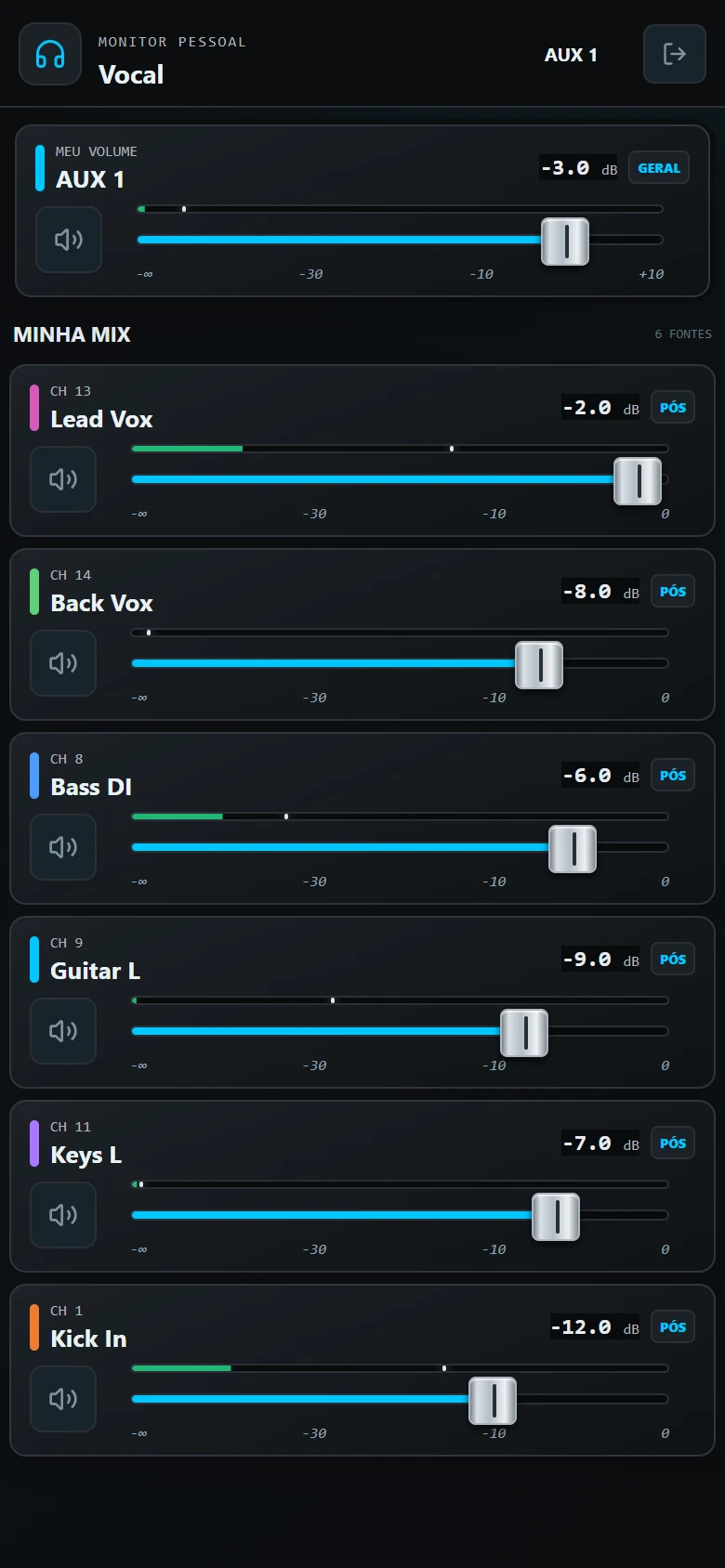
ONE TAP, ALL SET ↗Each musician adjusts their own monitor mix from their phone, with nothing to install and no access to the main mix. With channel groups and adjustment requests to the operator.
INDIVIDUAL ACCESS ↗When feedback appears, DS Mixer finds the frequency and suggests the EQ cut. You confirm and carry on with the service.
NO FEEDBACK SCARES ↗See the spectrum in real time over the equalizer, freeze a reference curve and read the value of each band under the mouse.
SEE WHAT YOU HEAR ↗Analyze the channel signal and get a gain suggestion. Review the setting and apply it when you're ready.
ASSISTED GAIN ↗Prepare the mix at home, without the console, and apply it on the day. Save scenes on the device, import or export files, and reuse them across compatible consoles.
PREP YOUR MIX ↗See the channels assigned to a DCA next to the group control to quickly adjust the elements of that mix.
GROUP FOCUS ↗Use starting points for EQ, compressor and gate, then fine-tune the settings for each voice or instrument.
FASTER PROCESSING ↗Record every mixer channel, each on its own WAV track, straight to your computer. No other software and nothing to set up on the mixer.
ON THE COMPUTER, OVER USB ↗Play the recording back through the mixer, each track on its own channel, and soundcheck without the band. Mute a track to hear the live instrument instead.
VIRTUAL SOUNDCHECK ↗On the Axios 16E, 24E, and Atrium 20E, which do not yet have RTA over the network, DS Mixer calculates the spectrum from the USB cable audio and shows it over the EQ.
RTA ON THE E LINE TOO ↗Lock a channel and no scene touches it. When applying, choose which parts and channels of the scene go in.
SCENES WITHOUT SURPRISES ↗/// THREE WAYS TO WORK
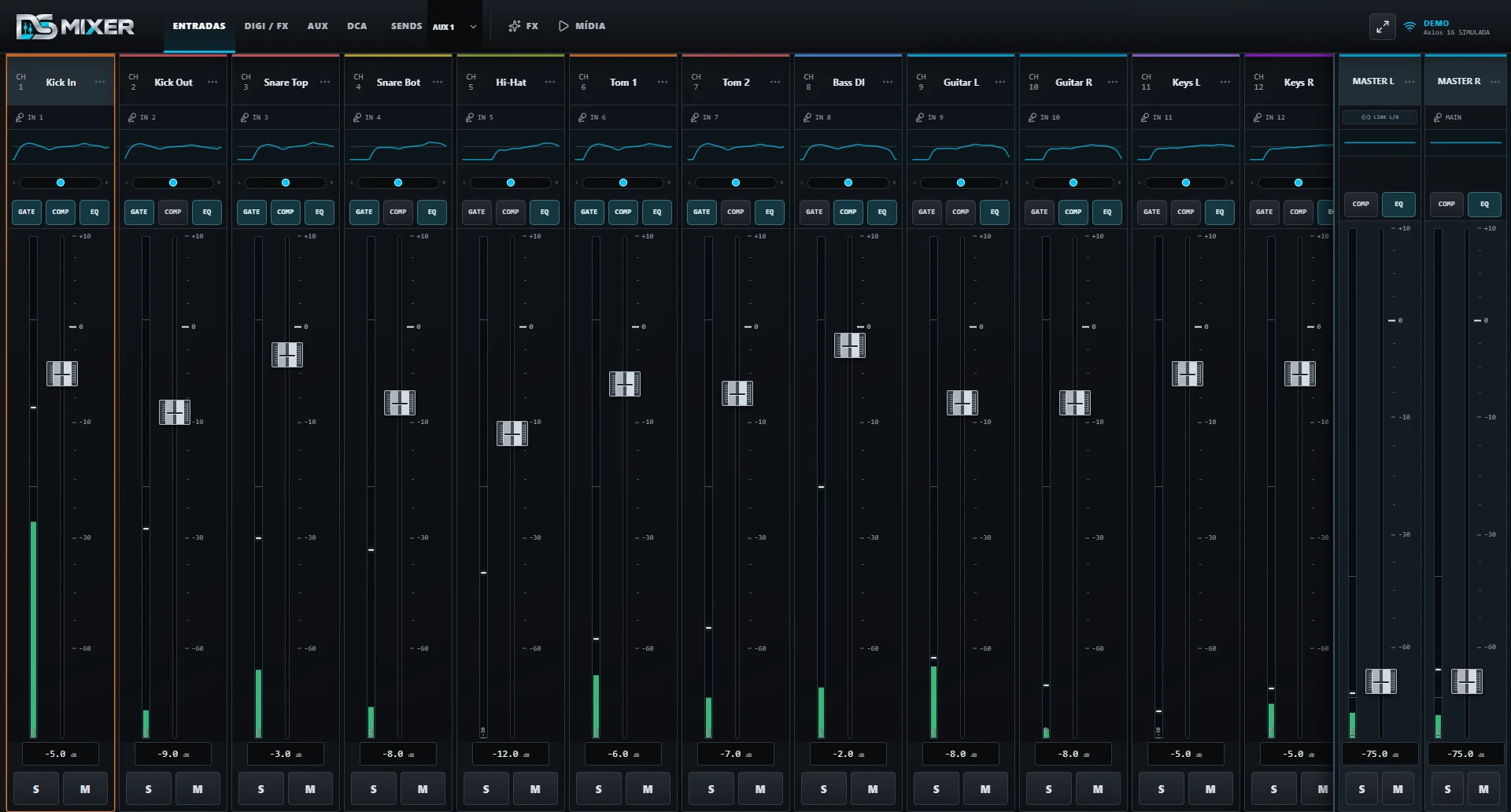
Choose the view that suits your screen, your experience and the moment. You can switch between modes whenever you need.
A direct view of channels and faders for fast, clean, familiar everyday operation.
Processing and faders side by side, with more controls visible. Works on large monitors and on tablets too.
The familiarity of an analog console with the flexibility of digital operation.
Hover over or tap a view to see it in motion.
/// PERSONAL MONITOR
The personal monitor gives each musician a simple screen to adjust what they need to hear. Each one has their own access, with a short passcode, and changes only their own monitor mix, without touching the sound going to the audience during rehearsals and shows.
Use the Android app or, with local network access turned on in DS Mixer, open the personal monitor in the browser on any device connected to the same network.
/// CONTROL ACROSS THE NETWORK
Open DS Mixer on the computer connected to the console and let other devices running DS Mixer, the musicians and the macro panel connect over the same local network. No need to rely on the internet during operation.
It acts as the hub of the operation and keeps the connection to the mixer.
Use the app on Android or another computer; the browser is for musicians and the macro panel.
Operate the full interface on another device running DS Mixer, or give each musician protected access to their own monitor mix.
/// DUONN ECOSYSTEM
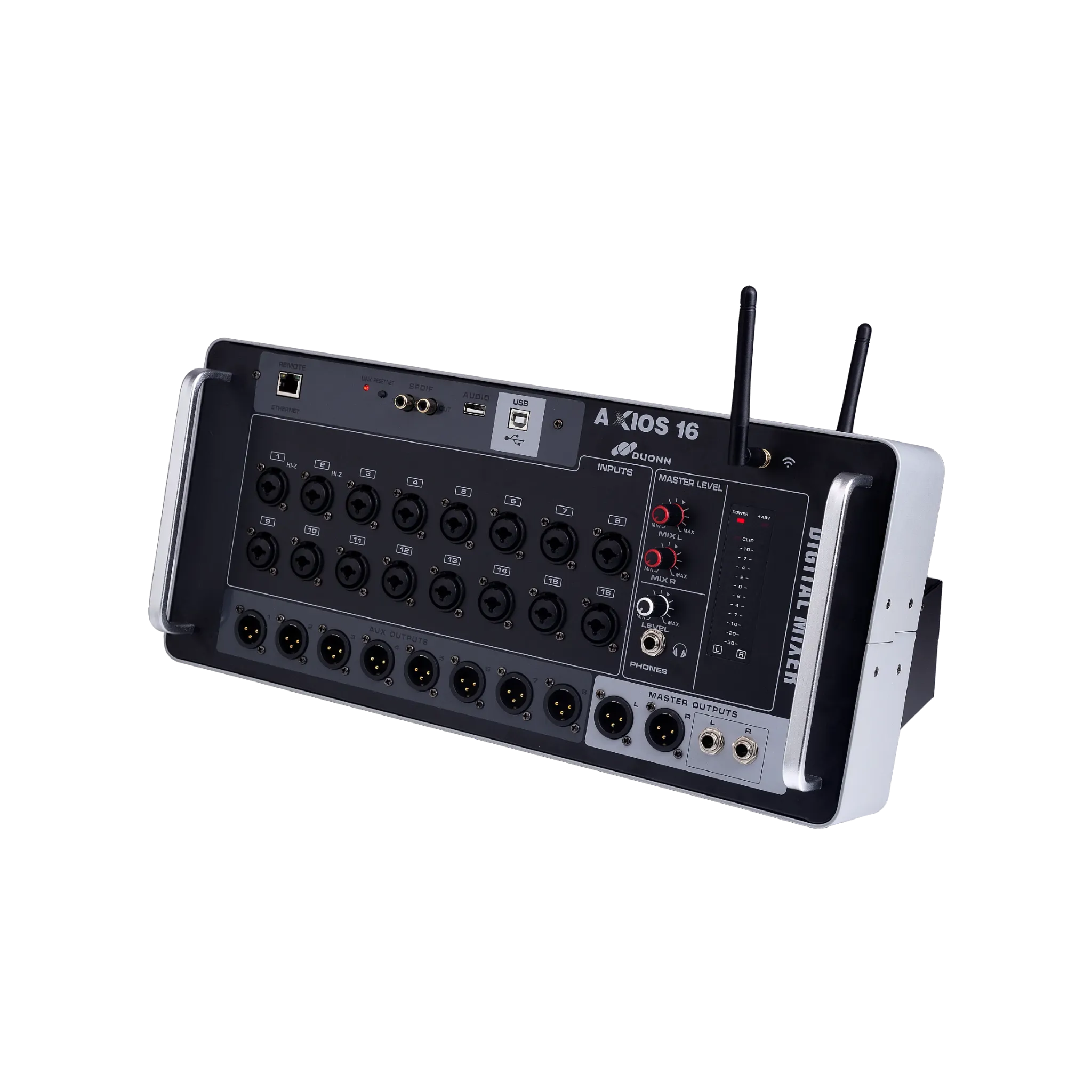
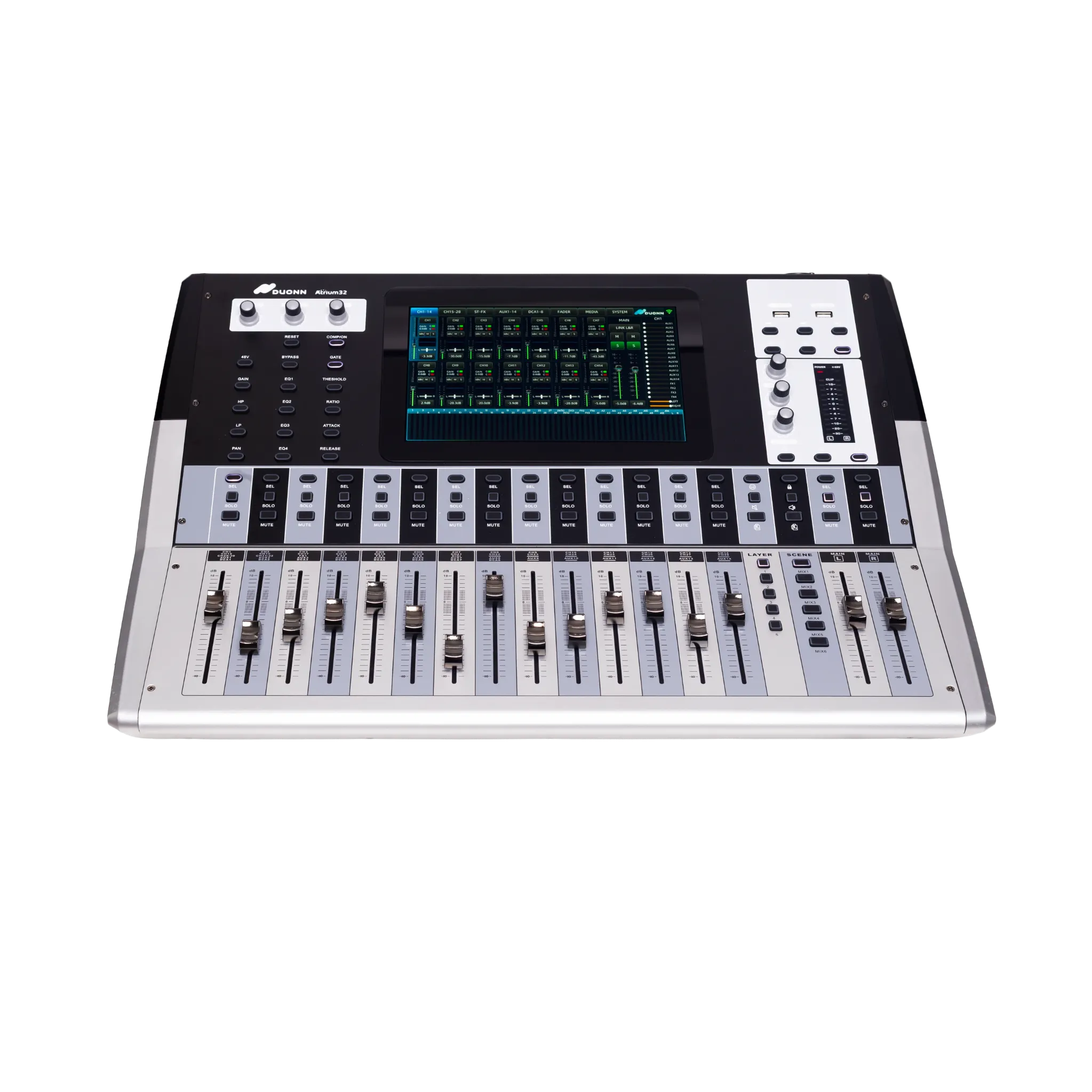
Compatible with Duonn Axios 12, 16, 24, and 32 consoles, as well as Duonn Atrium 20 and 32. The app finds the console on the network, identifies the connected model, and adapts the control surface to the available profile.
/// WHO'S ALREADY USING IT
Sound operators from churches and event crews run DS Mixer in services and live shows. Suggestions arrive over WhatsApp and become updates within days.
Active installations on computers, tablets and phones, running services and events every week.
ACTIVE INSTALLATIONS“Easy to use, very straightforward. The meters turned out great and everyone loved the monitors. The QR Code was amazing, really fast to connect.”
ENGINEER AND SOUND OPERATOR · CHURCH“Everything is right there: from the channel itself I send to the aux and the FX without leaving the mix screen. Truly a great app.”
SOUND TECHNICIAN · CHURCH · AXIOS 24Big Desktop mode started as a user suggestion and shipped within days, working even on tablets.
FREQUENT UPDATES/// SEE IT IN ACTION
Tutorials, news and real demonstrations with the Axios and Atrium, straight from the DS Mixer channel.
/// PLANS
Create your account, choose a plan and pay by PIX or card. The app unlocks the license on its own, on all your devices. New accounts get a 7-day free trial, no card required.
Discount kept on every renewal.
One-time payment, no subscription.
Prices in Brazilian reais. The license is unlocked automatically in the app once payment is confirmed.
/// BEFORE YOU START
The essentials for installing, connecting and trying DS Mixer safely.
DS Mixer was developed for the Duonn Axios and Atrium series. The availability of some controls may vary depending on the mixer model and firmware version.
For continued use, yes. Prices are in the plans section and you subscribe from your account on the website, paying by PIX or card. You can try it free for 7 days before subscribing.
PIX and credit card. Mensal: PIX or card with automatic renewal. Anual: PIX, card with automatic renewal or card in up to 12 installments (with interest). Vitalício: PIX or card in up to 12 installments (with interest). For installments with interest, checkout shows each installment and the total before you confirm. The license is unlocked automatically in the app as soon as the payment is confirmed.
Yes. There is an Android app. On iPhone, iPad or any tablet, the personal monitor and the macro panel open in the browser, on the same Wi-Fi network as the console, with nothing to install.
No. The musician scans a QR Code or opens an address in their phone's browser, on the same Wi-Fi as the console, and signs in with their short passcode. Musicians don't use up your license's device slots.
Yes. The computer connected to the console becomes the hub and other devices running DS Mixer request access to it over the same Wi-Fi. Musicians only get their own monitor mix, and the macro panel only fires macros.
No. DS Mixer is independent software developed by Awake Tecnologia, with no connection, affiliation, or endorsement from the manufacturer. Duonn, Axios, and Atrium are trademarks of their respective owners.
Still have a question? See the full answers about compatibility, operation, licensing and payment.
See all questions →/// OFFICIAL DOWNLOAD
DS Mixer is available for Windows, macOS, Linux, and Android. Create your account and try it free for 7 days, no card required, with every feature unlocked on your Duonn console.
/// GET IN TOUCH
Send a message to the DS Mixer team. When you continue, we'll open WhatsApp with your message pre-filled for you to review and send.